


 0 Comments

Nowadays, web apps require hosting platforms to work well under various traffic conditions, provide fast deployment, secure connections, and scalable infrastructure. For those who work with JavaScript and TypeScript, there are many options for choosing a hosting provider; however, some hosting platforms are built in accordance with modern runtimes, which allows streamlining the deployment process.
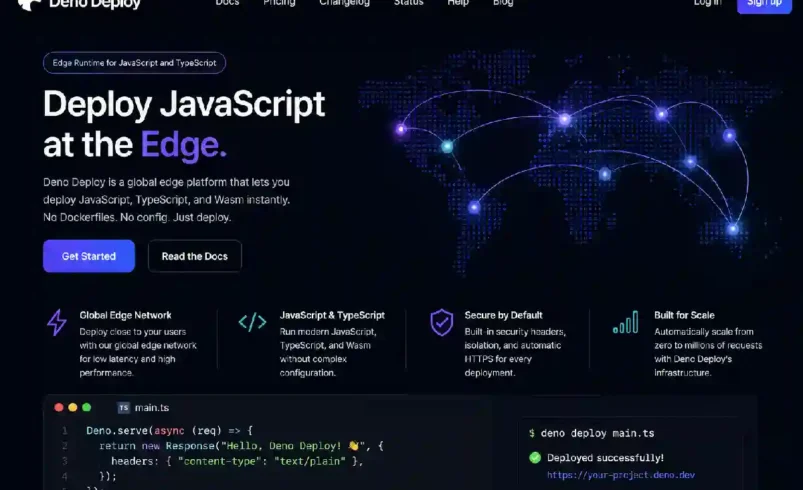
Deno Deploy is a cloud-based hosting service by Deno, which is used to deploy applications using JavaScript and TypeScript.
The current version of Deno Deploy includes integrated builds, TLS, global distribution, scaling, observability, cron jobs, and database functionality.
It is worth saying that Deno Deploy is great for those who work with the Deno runtime, but it also offers first-class Node support, including applications and frameworks such as Next.js, Astro, and SvelteKit.
What Is Deno Deploy?
Deno Deploy is a cloud platform for deploying and running web applications. Instead of configuring a virtual machine, installing a runtime, configuring a reverse proxy, setting up TLS, and configuring scaling manually, you can use Deno Deploy and get the infrastructure configured for you. According to the Deno Deploy documentation, it is a serverless environment that allows running JavaScript and TypeScript applications at global scale.
The current Deno Deploy dashboard is available through Deno’s console. The platform is oriented toward modern application deployment, which means developers can easily migrate from a local environment to production without configuring much infrastructure.
How Does Deno Deploy Work
The deployment workflow is quite simple. Developers develop an application locally and connect the project to Deno Deploy. An application can be deployed either from a GitHub repository or from the local filesystem. After deployment, Deno Deploy builds the project and provides the resulting application to users via deployment infrastructure.
The deployment process is represented below:
- Create a Deno application
- Test the application locally
- Create a Deno Deploy organization
- Create application
- Connect GitHub repository or use local source code
- Set up the build process
- Deploy the application
- Check logs and app behavior
- Add environment variables and other production settings
This workflow helps to avoid many processes of server management.
Main Deno Deploy Features
Among the features of Deno Deploy are those which are intended to make hosting of applications easier.
Serverless Runtime
Applications can run without developers having to manage servers as they traditionally would have.
Integrated Builds
Building of applications can be done as part of the deployment procedure.
Global Distribution
Applications can be distributed through Deno’s infrastructure to users in various geographic locations.
TLS
Securing connections is possible through the platform.
Environment Variables
Environment-specific variables can be configured without developers having to hard-code secrets in source code.
Logs and Observability
Monitoring can be performed through logs and other telemetry tools.
Cron Jobs
The current platform allows scheduling jobs with Deno.cron().
Database Support
It is capable of working with databases and offers tools for managing database connections and Deno KV.
Deno Deploy and Frameworks
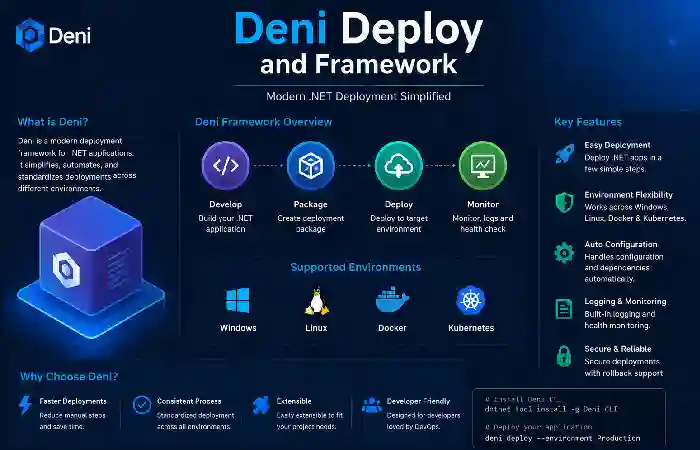
Deno Deploy is not restricted to applications that use basic Deno APIs.
Currently, the platform offers support for some popular frameworks, which include:
- Next.js
- Astro
- SvelteKit
- Fresh
- Nuxt
- Remix
- SolidStart
Support for frameworks can simplify deployment since developers do not have to define all their build settings manually but can use configuration presets instead.
Static Websites
Static websites can also be deployed through Deno Deploy.
It applications can be deployed by pointing Deno Deploy to the directory where the generated files are located. CLI can work in static runtime mode and with single-page application configuration.
It can be handy for:
- Documentation sites
- Marketing websites
- Portfolio websites
- Landing pages
- Blogs
- Static web applications
Static deployment makes the process less complicates than when a traditional web server is to maintain.
Dynamic Applications
Dynamic applications can also deploy via Deno Deploy.
A dynamic application can execute server-side code on user requests.
These applications include:
- REST APIs
- Authentication services
- Web applications
- Backend services
- Data-processing endpoints
- Server-rendered websites
CLI can set up a dynamic runtime with an entry point for an application.
Deno Deploy vs Traditional Hosting
Traditional hosting implies more infrastructural management.
Depending on how it implement, developers will have to deal with:
- Updating the operating system
- Runtime installation
- Setting up and managing web servers
- TLS certificate management
- Scaling
- Monitoring
- Deployment scripts
All of this abstract away in a manage platform like Deno Deploy.
| Area | Deno Deploy | Traditional Server |
| Server management | Managed | Usually user-managed |
| TLS | Built into platform | Often configured separately |
| Scaling | Platform-managed | Usually configured manually |
| Deployments | CLI or integrated workflows | Depends on setup |
| Logs | Integrated | Requires configuration |
| Runtime | Deno environment | User installs runtime |
| GitHub integration | Supported | Depends on setup |
| Cron | Built-in support | Usually configured separately |
| Database options | Integrated/external options | User-managed or external |
| Infrastructure overhead | Lower | Higher |
Deno Deploy vs Deploy Classic
The current Deno Deploy platform is different from the older Deploy Classic service. Deno’s documentation states that Deploy Classic was scheduled to shut down on July 20, 2026, with users encouraged to migrate to the new platform. The newer platform provides a redesigned dashboard and a more capable execution environment based on Deno 2.0 and later developments.
| Feature | Current Deno Deploy | Deploy Classic |
| New dashboard | Yes | No |
| Deno applications | Full support | More limited |
| Node applications | Full support | More limited |
| Framework support | First-class support | More dependent on configuration |
| Static sites | Supported | Not supported |
| Environment variables | Supported | More limited |
| Cron | Supported | Supported |
| GitHub deployment | Supported | Supported |
| CLI deployment | Supported | Supported |
| Logs | Supported | Supported |
| Tracing | Supported | Not supported |
| Metrics | Supported | Not supported |
| Status | Current platform | Sunset July 20, 2026 |
These differences are based on Deno’s current comparison documentation.
Advantages of Deno Deploy
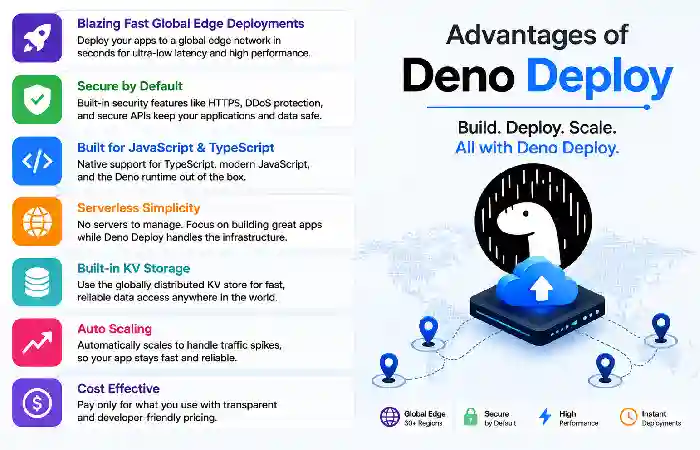
Simple Deployment
Developers can move from application code to a deployed service without managing a traditional server.
Modern Runtime
The platform uses the Deno runtime and supports modern JavaScript and TypeScript workflows.
Multiple Frameworks
Support for popular frameworks makes the platform useful beyond basic Deno applications.
Built-In Infrastructure
TLS, builds, deployment management, logs, and other services are integrate.
Global Applications
The platform design for applications serving users across different locations.
Developer-Friendly CLI
The deno deploy command provides terminal-based deployment and management capabilities.
Potential Limitations
Deno Deploy is not automatically the right solution for every project.
Potential considerations include:
- Platform-specific features
- Runtime compatibility
- Database requirements
- Deployment-region needs
- Application architecture
- Vendor dependence
- Cost at larger traffic volumes
Before moving a production application, developers should test the complete application in a deployment environment.
Who Should Use Deno Deploy?
Deno Deploy can a good fit for:
- Deno developers
- JavaScript developers
- TypeScript developers
- API developers
- Small development teams
- Startups
- Static-site developers
- Serverless application teams
- Developers using supported web frameworks
It can be particularly attractive when minimizing infrastructure management is a priority.
Who May Need Another Hosting Approach?
A different deployment technique can consider when a project needs:
- Special hardware
- Long-lived processes
- Extensive operating system customization
- Infrastructure controls
- Container orchestration
- Features unsupported by the platform
In this case, containers, virtual machines, dedicates servers, and other cloud platforms can consider as an alternative.
Best Practices for Deno Deploy
There are a number of practices developers could follow in order to optimize production deployments.
Manage Dependencies Carefully
Unnecessary dependencies may add to build size and increase startup time.
Protect Secret Credentials
Do not keep sensitive information like API keys directly in your code; use environment variables or a secrets manager instead.
Monitor Your Logs
Check your logs after deployment and during major changes.
Test Before Release
Before release, test your app and verify its behavior.
Use Version Control
Keep application code in a version control system like Git.
Reduce Startup Time
Minimize unnecessary tasks during application boot.
Deploying With the CLI
At the moment, the Deno Deploy CLI allows you to deploy your application easily.
You can create a project and deploy it via the CLI and allow the platform to take care of uploading, building, and deploying your application. Deno’s official documentation describes the deployment process as packaging your application, uploading, building, deploying it on the edge network, and providing a live URL.
After changes are made, you can redeploy your update application.
Thus, iterative development becomes relatively easy.
Production Checklist
| Task | Recommended Action |
| Source control | Keep code in Git |
| Dependencies | Remove unnecessary packages |
| Secrets | Store them as environment variables. |
| Testing | Run tests before production. |
| Logging | Monitor application logs |
| Database | Test connections and migrations |
| Performance | Optimize startup and requests. |
| Security | Limit unnecessary access |
| Deployment | Verify production configuration |
| Monitoring | Track errors and application behavior |
Final Thoughts
Deno Deploy is a modern manage environment design for deployment of JavaScript and TypeScript apps without dealing with a traditional server infrastructure.
The current platform includes deployment, build, TLS, global distribution, logging, framework support, environment variables, cron jobs, and databases. The Deno Deploy CLI allows you to create, deploy, configure, and control your applications right from the command line.